
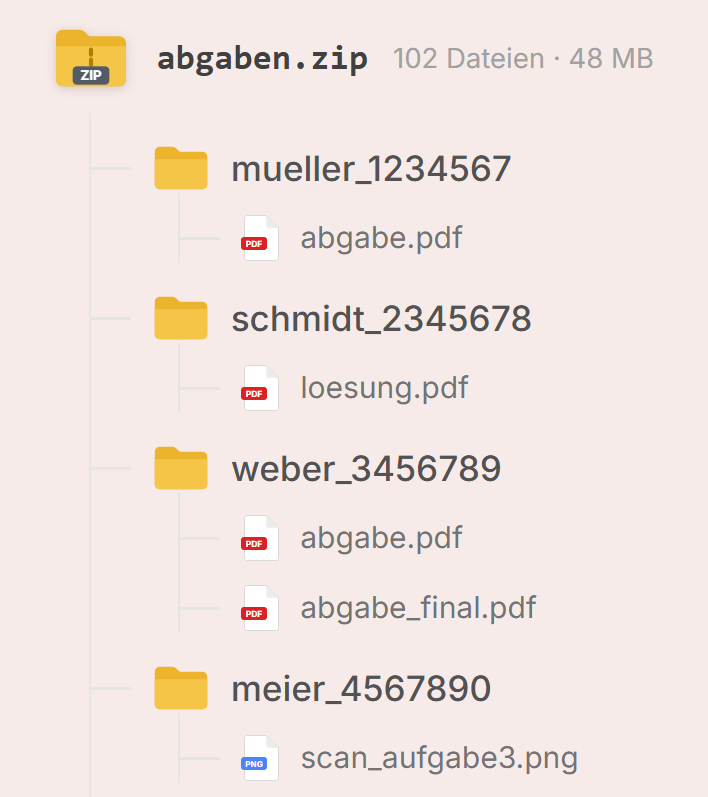
Problem 01
File chaos
Submissions arrive as a ZIP archive full of single files and subfolders. Before grading starts, files have to be unpacked, matched and opened one by one.
Grading software for universities
PunktPilot makes bulk grading of student submissions faster, more consistent and clearer. Comments, scores and all corrections in one interface.
Local desktop app · Windows & Linux
Trusted by



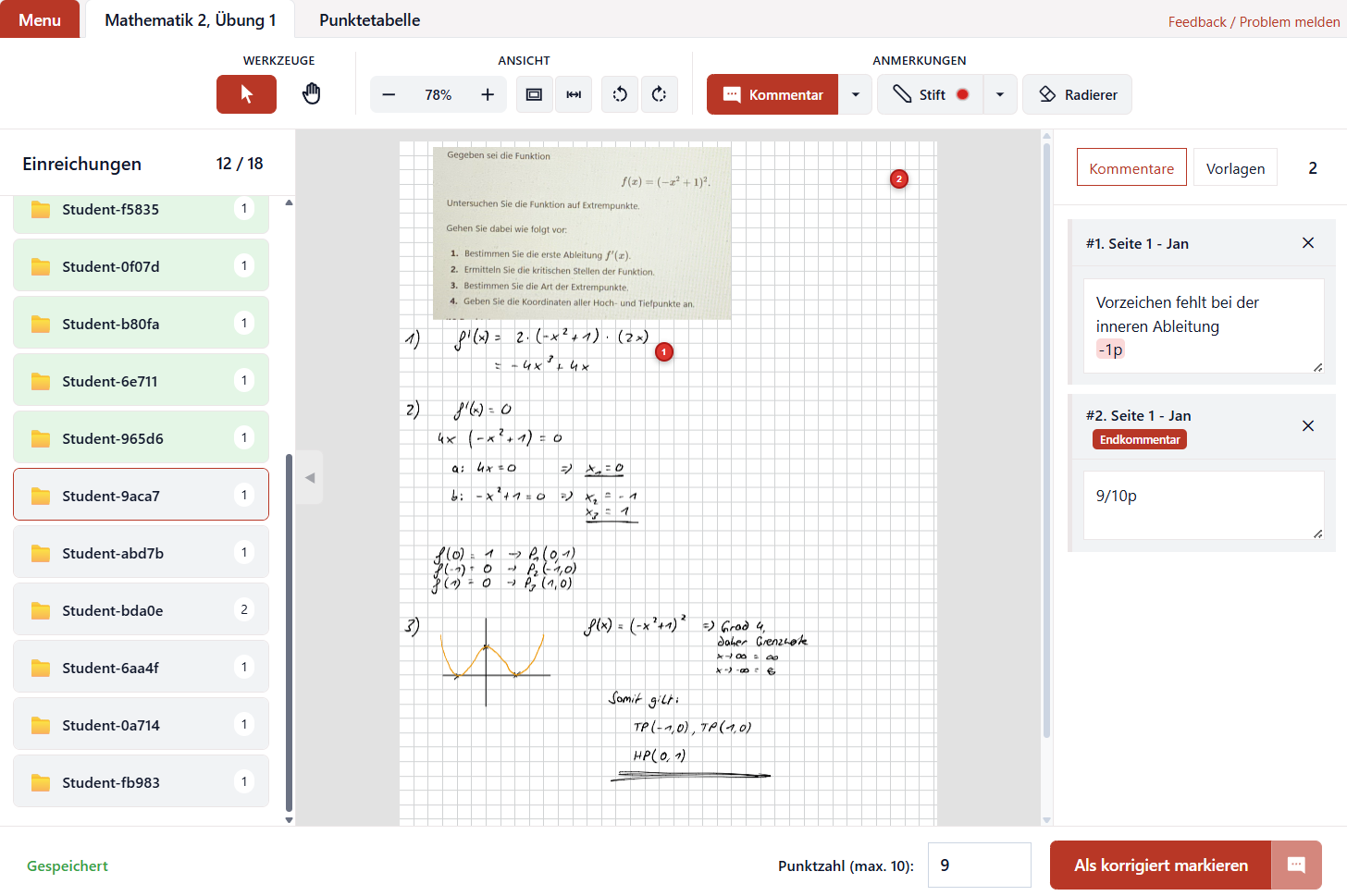
Status quo
Between the LMS, PDF editor and points list, needless media breaks, duplicate work and missing overview pile up.
Problem 01
Submissions arrive as a ZIP archive full of single files and subfolders. Before grading starts, files have to be unpacked, matched and opened one by one.
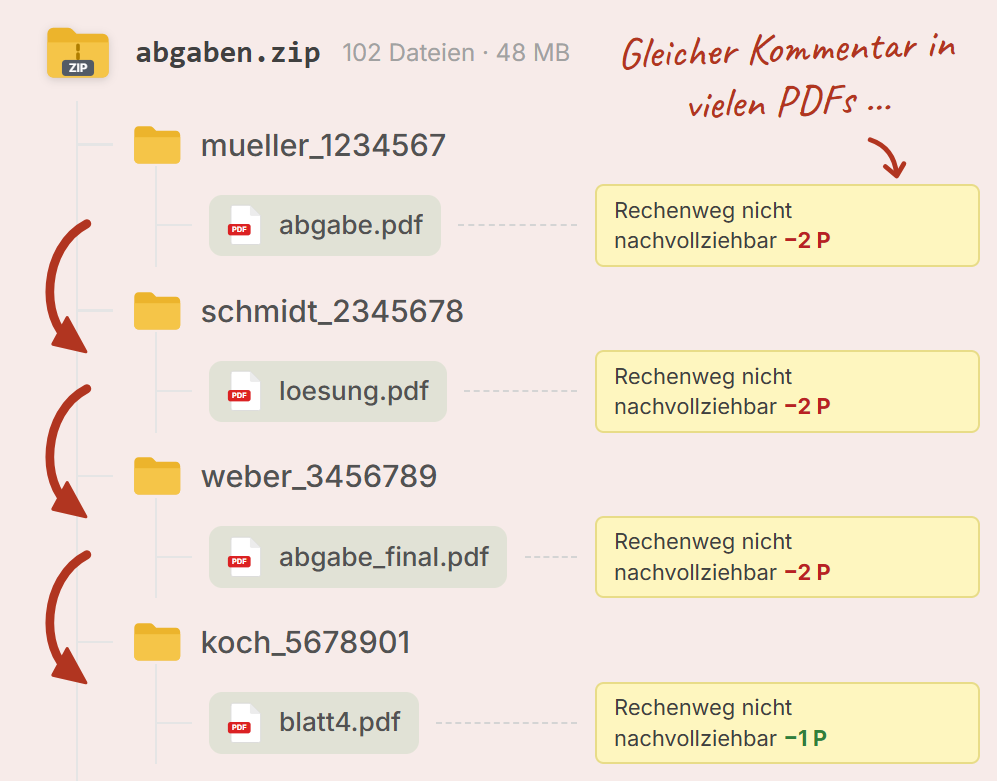
Problem 02
Every submission is opened and edited separately. Changing a frequently used comment or a deduction later means reopening and adjusting old PDFs one by one.
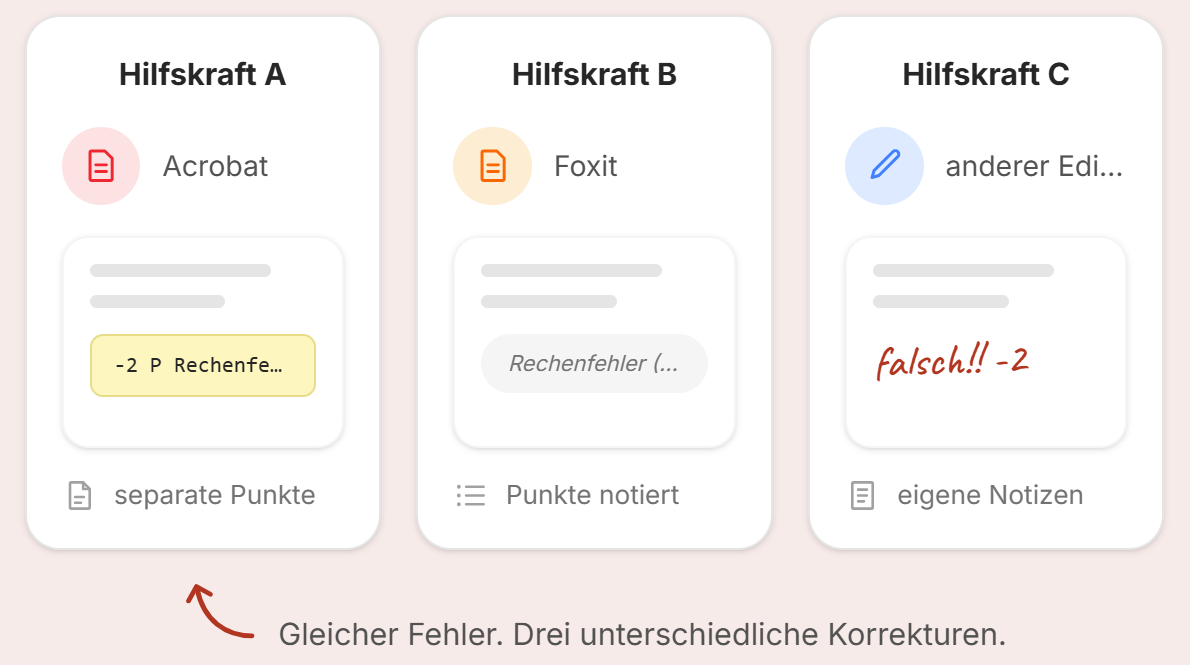
Problem 03
Assistants work with different PDF editors, comment styles and personal workflows. Feedback and grading end up differing within the same course.
Problem 04
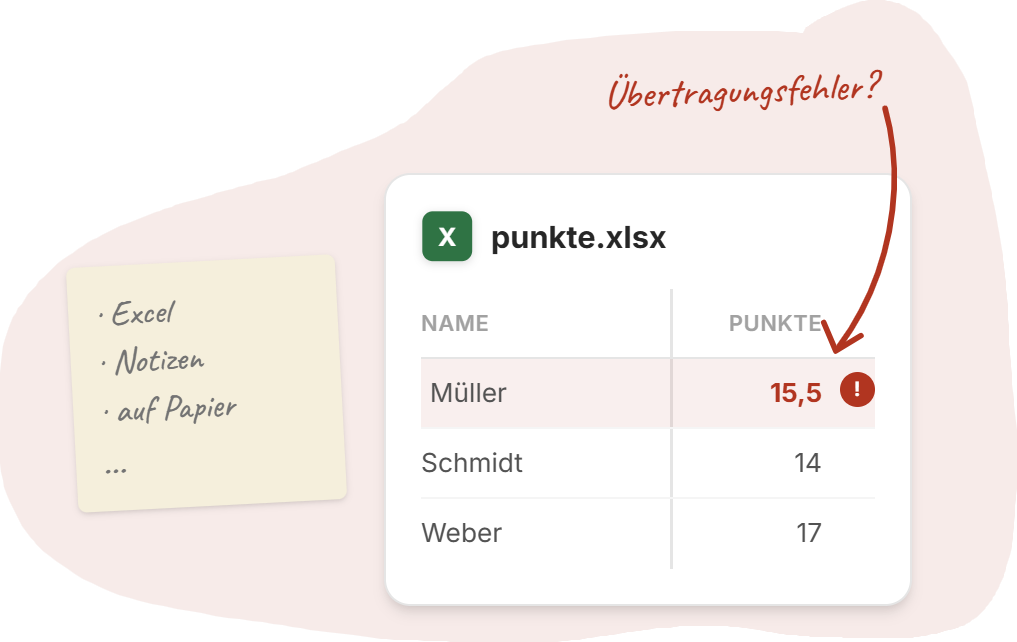
Deductions and partial points are tracked in parallel in Excel, notes or on paper. That means duplicate upkeep and a higher risk of transfer errors.
There has to be a more efficient way.
For almost two years I was a student assistant and math tutor. Week after week I had to go through up to 100 submissions PDF by PDF, grade them, and upload them back to ILIAS. The workflow was awkward and time-consuming, because every submission had to be opened, commented and graded one by one.
So I first developed a prototype for my own grading routine. That became the PunktPilot software, which has been improved step by step through feedback from real teaching practice.
Today PunktPilot is used in teaching, and student assistants rely on it for grading.
Features
Everything chairs and student assistants need for traceable grading. Nothing they do not.
Load a ZIP from ILIAS, Moodle, or other systems. Submissions are assigned automatically.
Highlight, comment, mark text. Saved as standard PDF, readable in any reader.
Pin frequent comments and insert them via click, drag-and-drop, or Quick Access.
Deductions come from comments. The total score updates automatically.
Change linked comments and points across every affected submission in one click.
Export for print or as a multi-feedback file for ILIAS or Moodle.
… and much more.
7500+
Already graded in real courses with PunktPilot.
20–60%
Subjective estimate from experienced student assistants.
100%
Submissions stay on the machine. No cloud upload, no third-party host.
Step 01
Import the ZIP archive from your LMS (ILIAS, Moodle) directly into PunktPilot.
Step 02
Found a mistake? Add a comment and deduct points.
Step 03
The same mistakes need the same comments. Save comments and reuse them easily.
Step 04
Never count by hand again. Points are totaled automatically and a closing comment is generated.
Step 05
Need to change comments and points on every submission afterwards? No problem. With bulk edit, linked comments can be updated in one click.
The busywork used to eat the time: downloading submissions, filling feedback files, keeping score sheets, zipping everything back up. With PunktPilot I only click a few times and treat the same mistakes the same way, because I can reuse comments and change them later. The time goes back into feedback, not into admin.
FAQ
Yes. Submissions, comments and grades are processed entirely locally on your computer. Grading does not require an active internet connection, and your documents are never uploaded.
No. PunktPilot never transmits content data from submissions or exams and does not collect telemetry. Only technically necessary information for license activation is sent to the PunktPilot license server at the start.
The ZIP archive of an ILIAS exercise object can be loaded directly into PunktPilot. The submissions it contains are recognized automatically and assigned to students. After grading, the feedback can be exported again in a format suitable for ILIAS.
Moodle already lets you annotate PDF submissions in the browser. Anyone who regularly grades hundreds of submissions this way knows the effort: many individual steps and clicks, recurring comments, and little overview of the overall grading process. PunktPilot combines these workflows in a desktop application built specifically for bulk grading.
Each assistant works locally and can use their own comments and grading building blocks. PunktPilot provides a consistent structure, presentation and feedback layout within the course. Licenses and activations can be managed centrally.
A current Windows or Linux computer is enough. PunktPilot is a desktop application and does not need special hardware or additional server or cloud infrastructure for grading.
Yes. PunktPilot can first be tried with your own PDF submissions, no obligation. Lecturers and student assistants can then review the workflow in their own course before a license is purchased.
Try PunktPilot yourself. Locally on your machine, with no document upload.