
← Back to the operating systems
Windows
PunktPilot for Windows
Windows 10 & 11
Download PunktPilot
Installation guide
Show instructions
- Download PunktPilot Download the installer with the button above.
- Open the installer Open PunktPilot-Setup.exe and follow the installation wizard.
- Start PunktPilot Activate your license and get started.
If a security message appears
For new or still uncommon applications, Microsoft Edge or Windows SmartScreen may show an extra security notice.
The browser blocks the download Show instructions
The browser shows a security notice
If the browser blocks the file, do the following:
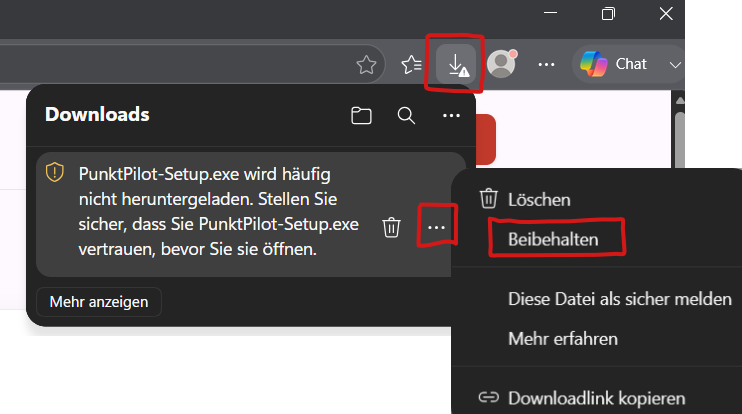
- In the download bar, click the three dots next to the file.
- Choose Keep or Keep anyway .
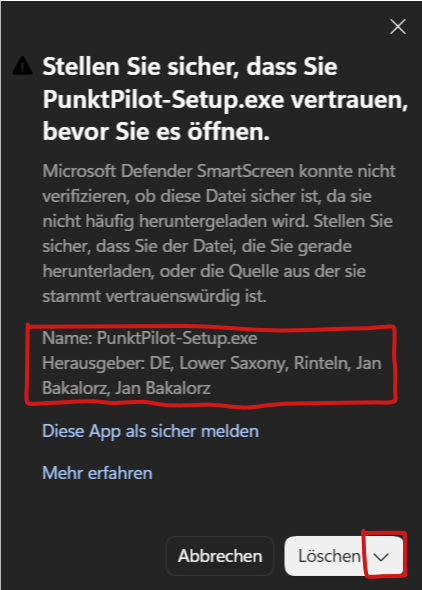
- If asked again, confirm with Keep anyway (often via the menu next to Delete ).
Windows shows “Windows protected your PC” Show instructions
Windows SmartScreen shows a notice
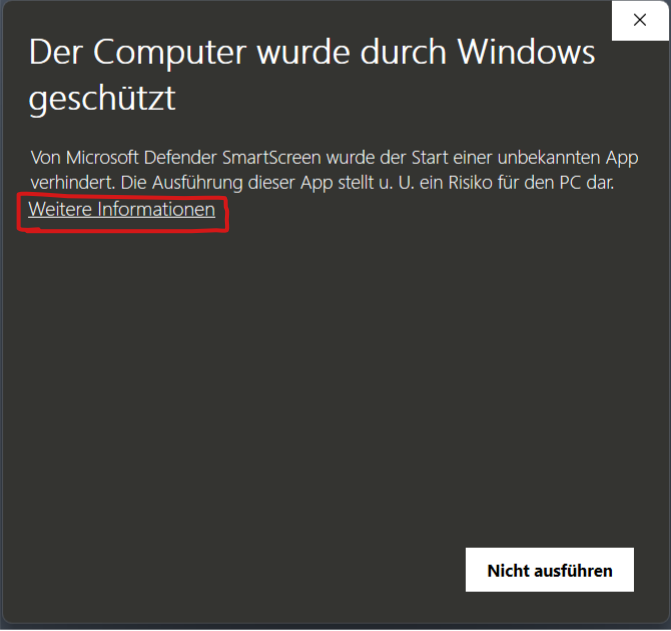
When you open PunktPilot-Setup.exe, Windows may show “Windows protected your PC”.
Do the following:
- Click More info .
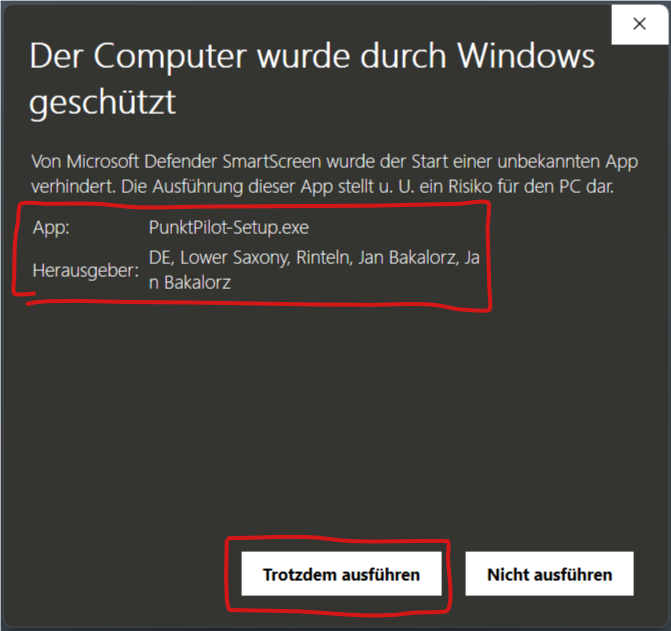
- Choose Run anyway .
- Follow the installation wizard.